I can't believe MacOS still doesn't have FaceID login. I'm even more bothered by people not knowing Windows 11 now has shoulder surfing protection because it is hard to find. Windows 11 did not have built-in shoulder surfing protection when it launched. That ability relied on 3rd party software before. Of course, there is also a hardware dependency on the camera and sensors.
It's a bit strange if you ask me why this feature is under Power & battery instead of under security or privacy.
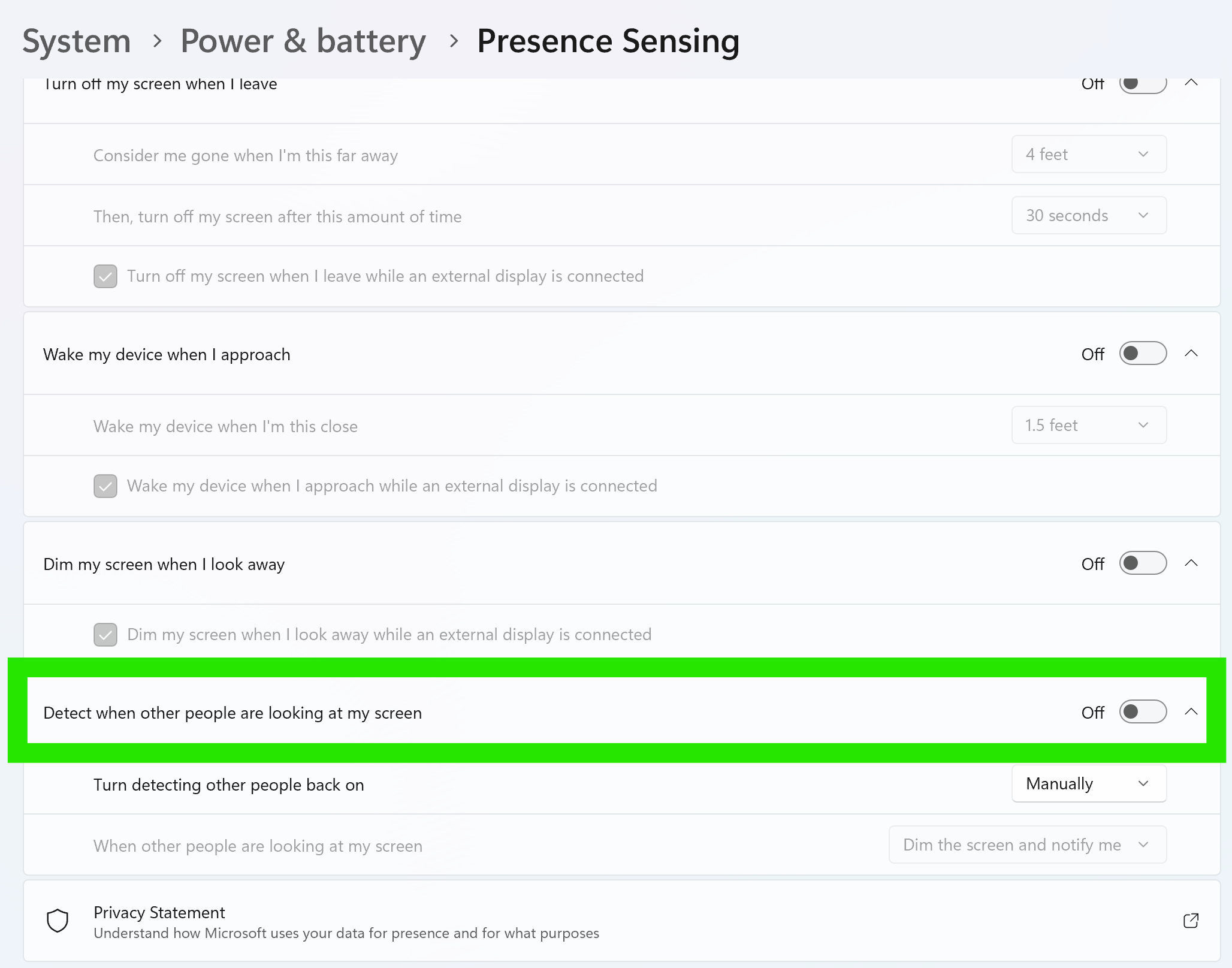
What is shoulder surfing?
Shoulder surfing is a type of social engineering, or physical security attack, where a person watches a victim to obtain personal information, such as passwords, PINs, or credit card numbers. It involves observing a screen or keypad directly or using tools like binoculars and cameras in public places like cafes, ATMs, or public transportation
How easy is should surfing?
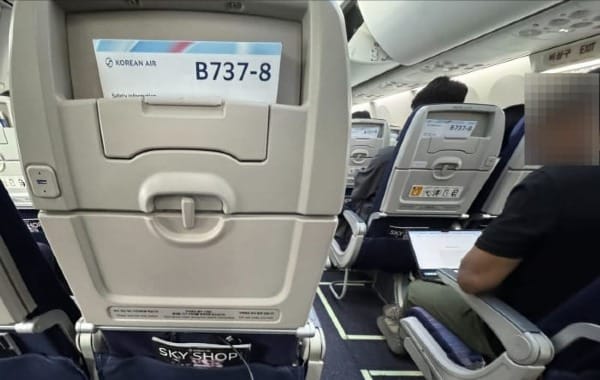
Use your iPhone and take a picture on a plane. There are plenty of targets.
This picture below was taken at 1x. e.g. no zoom used. You can see a person sitting one row in front of me using their Apple laptop.
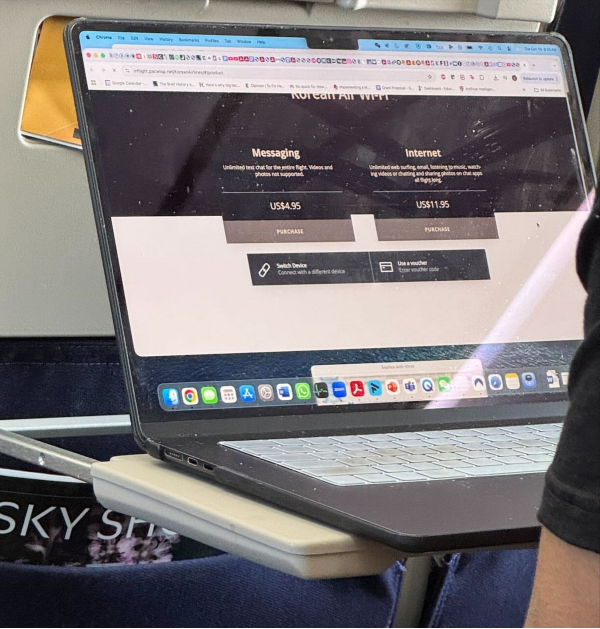
This second picture below is just a cropped version of a picture taken at 1x. You can already see a lot of text is readable. Had I used a video and zoom, I would see lots more. What I do see is this guy should have used Edge instead of Chrome to benefit from vertical tabs! Edge has had this feature for over a year before Chrome and has made me more productive.
How to protect against shoulder surfing?
Having software and hardware built-in on your laptop is great, but sometimes you have older hardware. In those situations you can simply buy a 3M Privacy Filter and lay it over your laptop screen.
Discussion