Storage consolidation: Google Drive or Microsoft OneDrive?
What about iCloud you say? I have that too, but that's for another post.
The short version of this post is Microsoft offers more storage and includes AI at lower price points than Google.
I have migrated 100% to OneDrive (via M365 Family bundle) as it offers 1TB per user and AI capabilities via Copilot at $70 less per year than the closest Google bundle. AI has saved me so much time, definitely more than $70/year. I have no doubt some of you make over $70/hour. The time savings from AI is a strong reason to choose Microsoft over Google. I haven't encountered a scenario where Google's AI has offered me anything I would value drastically differently over Microsoft's AI yet.
A reminder this site is focused on time saving tips, so the cheapest option is not always the best if you value your time.
Storage Platform selection
Let's get down to the decision making. Some other blogs will tell your mix of data - email vs photos vs documents - is a consideration and have called out these differences:
| Storage | Google Drive | Microsoft OneDrive |
|---|---|---|
| Shared storage between services (mailbox and drive together) | Yes | No |
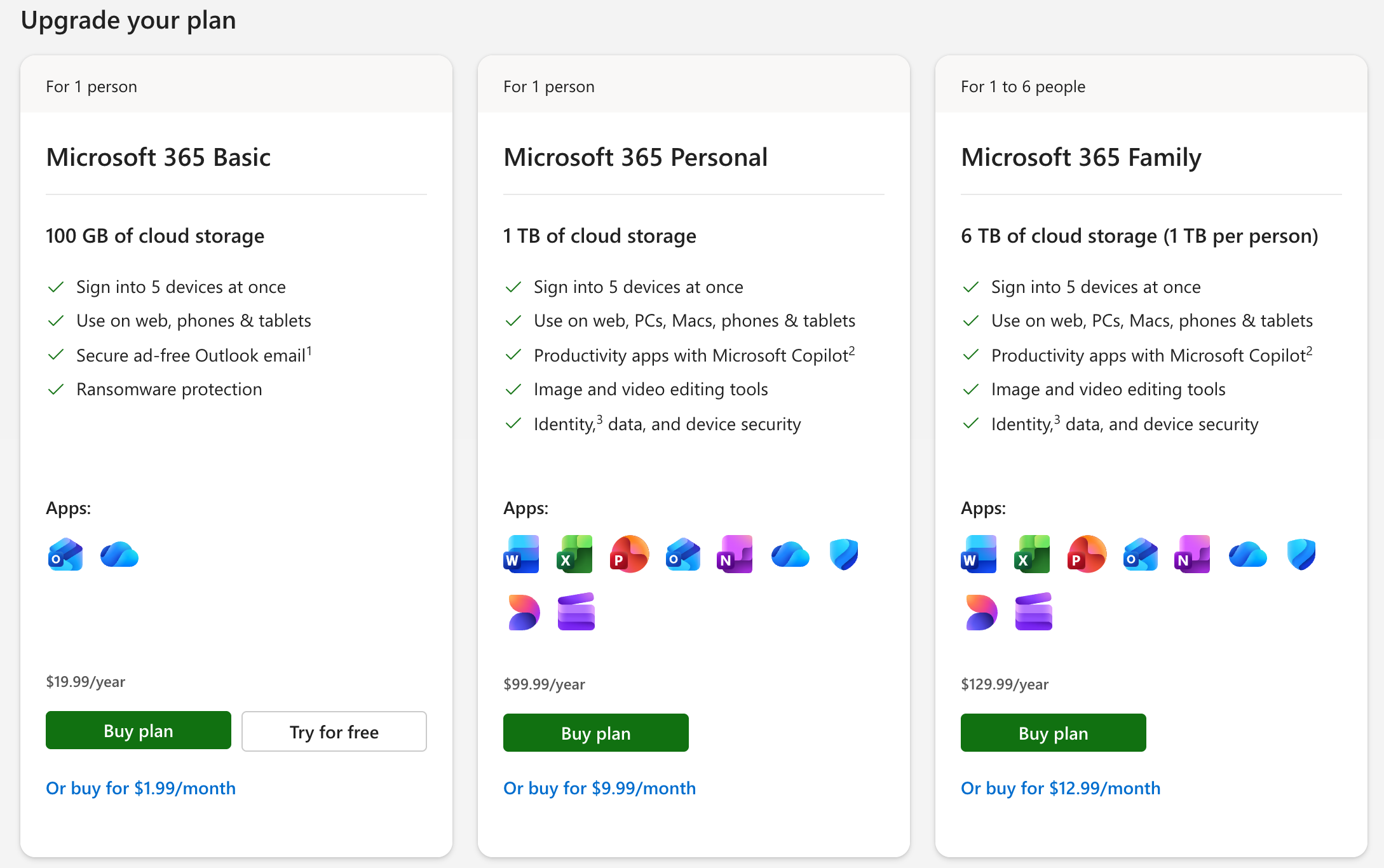
| Shared storage between people | Yes, between 5 people at 100GB $19.99/year plan | No, but 1TB/person for 6 people with $129.99 M365 Family plan |
The other blogs are suggesting:
- Google is easier because you don't have think as much as it charges you for storage shared across services (e.g. Google Drive + Gmail), whereas Microsoft charges mailbox storage separately from (OneDrive) storage.
- Google has a lower entry point for sharing storage, starting with the 100GB plan.
My opinion is no, the differences in the table above don't matter.
Microsoft is cheaper, so you don't need to worry about data types. While the Google concept of not having to worry about what type of data you store is nice, it's really not that much of a problem for most people because they either are below those storage limits, have enough storage, or can easily use or add automation to free that storage up. e.g. delete emails with large attachments you've already downloaded.
Do you really want to share your 100GB quota? If you shared 100GB between 5 users, it's 20GB/user. Even shared among 2 people, is 50GB enough? Your phone's storage is very likely to be greater than that. There's a reason the base iPhone model is 256GB these days. Even if you're not an iPhone user, you probably have more than than 100GB of photos/videos given today's high resolution cameras, or you will outgrow a 100GB storage account, so you'll be upgrading at some point and re-evaluate your options.
Pricing Details
Annual prices are listed below, which are lower than monthly prices, which are typically one decimal place to the right. e.g. Annual price of $19.99 means a monthly price of $1.99
| Storage | Google Drive | Microsoft OneDrive |
|---|---|---|
| Free | 15GB | 5GB + 15GB mailbox |
| $19.99/year | 100GB | 100GB + 100GB mailbox |
| ~$24/year ($1.99/month) | - | 200GB |
| $29.99/year | 200GB | |
| $99.99/year | 2TB | 1TB + AI |
| $129.99/year | - | 6TB (1TB/person for 6 people) + AI |
| ~$200/year | 2TB + AI | 7TB + AI |
| ~$250/year | - | 7TB + AI |
| ~$370/year | - | 8TB + AI |
| ~$490/year | - | 9TB + AI |
| $499.99/year | 10TB | - |
| ~$610/year | - | 10TB + AI |
| ~$730/year | - | 11TB + AI |
| ~$850/year | - | 12TB + AI |
| ~$970/year | - | 13TB + AI |
| $999.99/year | 20TB | - |
| ~$1090/year | - | 14TB + AI |
| ~$1210/year | - | 15TB + AI |
| $1499.99/year | 30TB | - |
| $3000/year | 30TB + AI | - |
Table notes:
- M365 Family: 2TB/person. A 1TB storage upgrade is per person, not shared across 6 accounts.
- M365 Personal: 10TB limit
As I suggested earlier, I believe most people skew towards a solution that exceeds the capacity of their phone in order to fully backup their phone and their other devices. This means 1TB or higher.
The clear winner is M365, regardless of whether it's the Personal or Family bundle. Yes, for $99.99 Google offers 2TB of storage, double Microsoft's solution, but there's no AI, which I value at more than $99.99/year based on my usage. Google's cheapest AI solution is $200/year. Even if AI wasn't a factor, the M365 Family plan offer 6 people 1TB each at $129.99/year, or <$22/person/year. Google's $99.99 2TB plan is only 400GB/person/year.
Who is Google Drive for?
- Pro photographers that like Google? Google maxes out at 30TB whereas OneDrive maxes out at 10TB for M365 Personal. M365 Family has a lower limit of 2TB per account. There are other storage providers like Smugmug which offer unlimited storage at $230/year.
- When each family member exceeds 2TB each.
Which one is faster?
15 years ago, Google Drive was about 8x faster than Microsoft OneDrive for me. It was 2MB/s download vs 256KB/s. Nowadays, the numbers are close enough and fast enough it doesn't matter to me.
How to migrate?
Both Google and Microsoft offer migration solutions so you don't have to drag and drop yourself, but I find them slow. The sheer number of files makes it slow, not the total data volume. Using the built-in tools on the OneDrive website, the estimate was 8 hours to move about 30GB of data on Google Drive over.
What I did instead was to use my existing Windows 365 Business (Cloud PC) which costs $41/month, and the process took only 40 mins (10x faster than the built-in tools), using the copy and paste option in File Explorer in Windows to copy between the Google Drive and OneDrive.
What if I don't use the M365 apps like Outlook, Word, Excel, Powerpoint, etc.?
There used to be a public page for the OneDrive-only prices, but that is now gone. 1TB OneDrive-only pricing used to be $69.99/year. The URL for the compare OneDrive plans is https://www.microsoft.com/en-us/microsoft-365/onedrive/compare-onedrive-plans but what you'll find are M365 bundles instead.
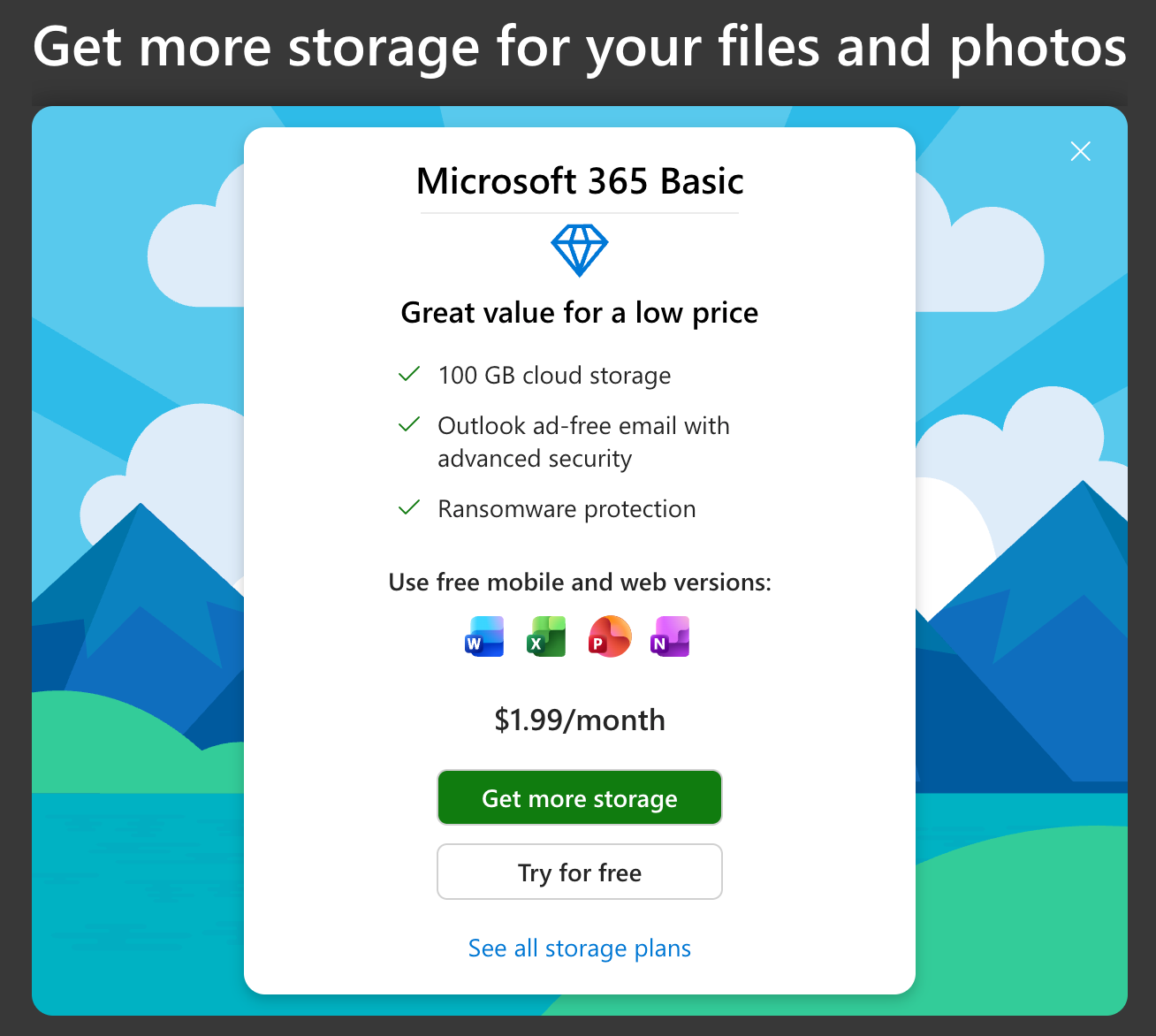
Microsoft is clearly pushing M365 bundles to make the ecosystem more sticky (screenshot below). The worst that can result in buying the M365 bundle is you can say "I'm only in it for the storage". Let's face it, many large corporations use Microsoft and not Google Workspace. Getting familiar with those apps doesn't hurt your career. Not getting familiar will hurt your career (and productivity).
How do I upgrade OneDrive storage?
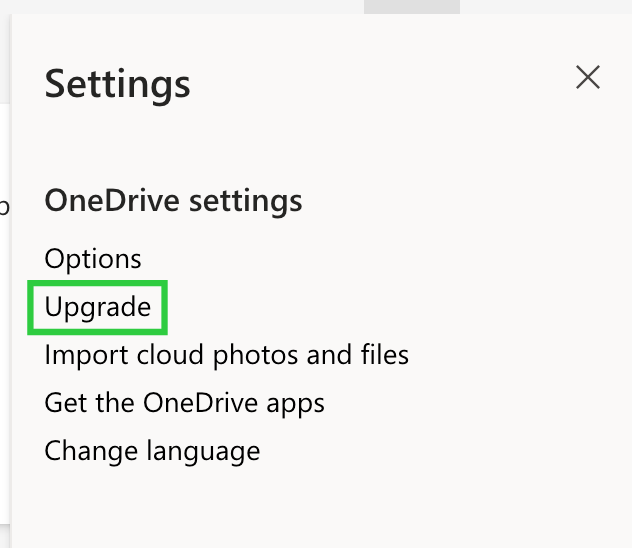
To find OneDrive upgrade prices, sign into your OneDrive, and go to Settings –> Upgrade.
If you're on the Free tier, what you'll see first are upsells to M365 Personal or Family as shown below:
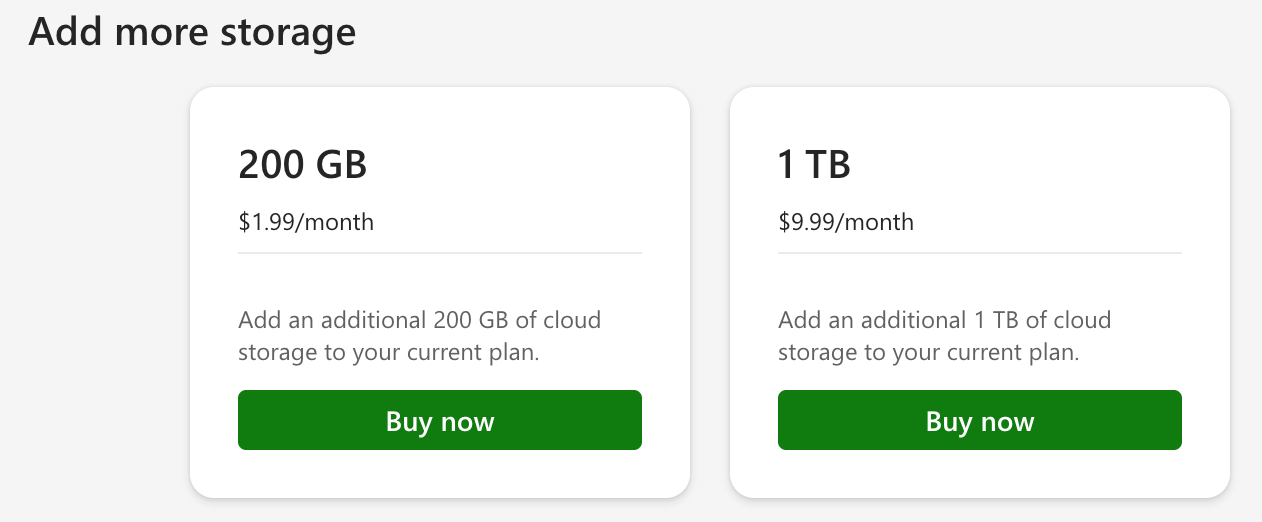
Like I said, most people are in "it" (M365) for the storage. If you need storage beyond what M365 Family offers, after you purchase M365, you'll see options like the one below.