Microsoft: Merge the Photos and Snipping Tool teams (Part 1)
There's a phrase in the industry: "Don't ship the org chart".
What it means to "ship the org chart".
- Inconsistent user experience: A product may have inconsistent designs, features, or information because different, disconnected teams built different parts, say this YouTube video by Scott Hanselman of Microsoft, also featuring Windows tech god Mark Russinovich, current CTO of Azure.
- Gaps and redundancies: Users may encounter areas where one department's work ends and another's begins, with no one taking responsibility for the handoff.
- Confusing navigation: Websites or apps may have information architecture that mirrors departments (e.g., "Marketing," "Sales") rather than a user's journey, making it difficult for them to find what they need.
- Siloed problem-solving: Teams may avoid solving problems that fall outside their direct responsibility, leading to an incomplete or broken product.
My recommendation is for the Photos and Snipping Tool teams to collaborate more closely. If that fails, then leadership could merge the teams to force the product collaboration or the technical design.
Why do I have this feedback? Let's go down the rabbit hole.
When you take a screenshot in Windows 11, the default format is .png
- Snipping Tool is my new favorite tool as a product manager. No problems so far.
- Edge: Developer Tools --> Capture screenshot works great. Wish I discovered this sooner as I've been using Snipping Tool even for web pages. More on that in another blog post.
My issue is with what Edge does next. It saves the screenshot to the Downloads folder. While it does seem fair as Edge related files all go to Downloads, it's not consistent with where other apps such as Snipping Tool saves .png files (Pictures --> Screenshots).
To make matters worse, the default app for .png files is the Photos app. When was the last time you took a photo in .png format?
Photos app being the default is an issue because of missing functionality.
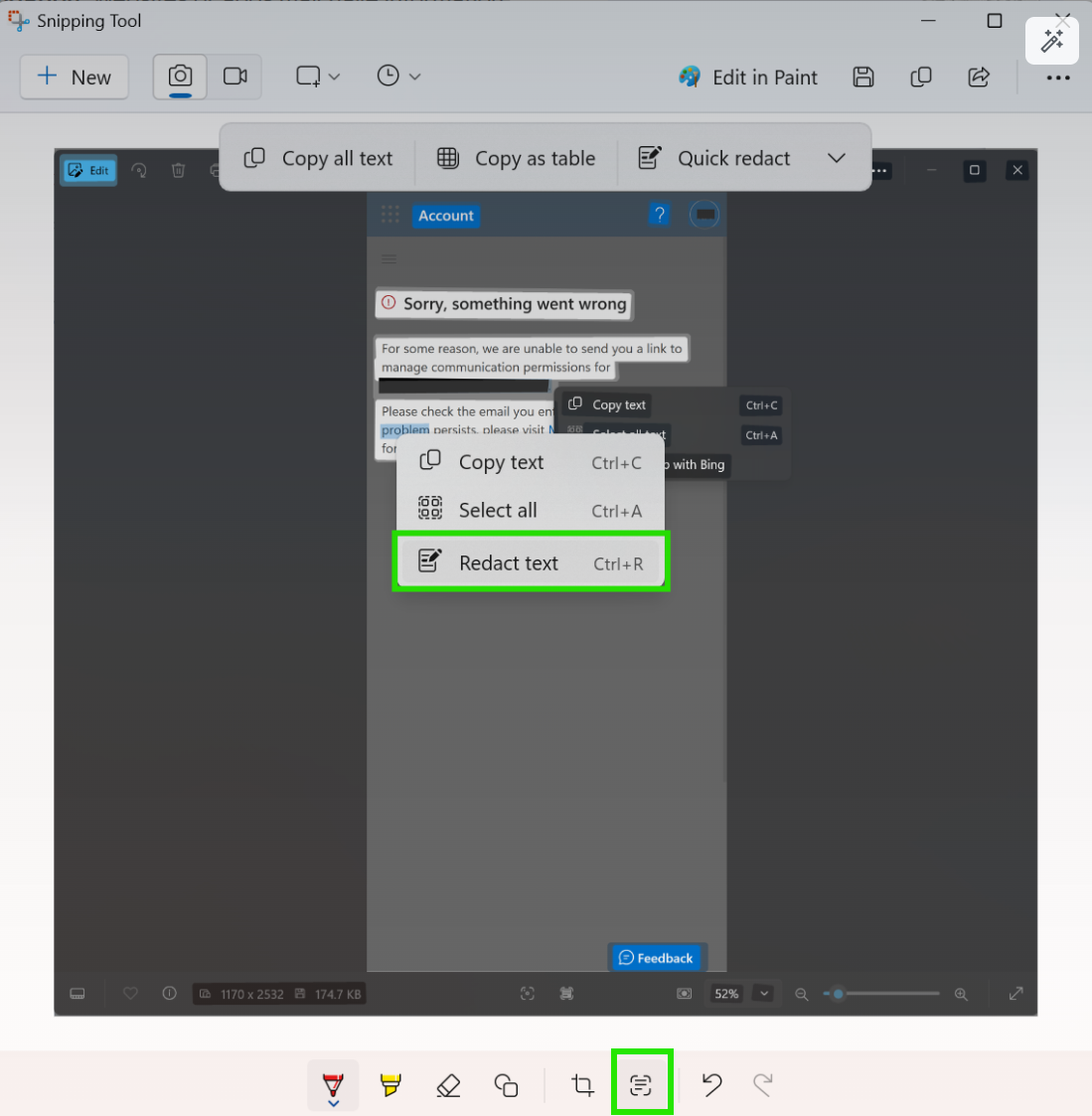
Look at the screenshot below from the Photos app on Windows. There's an option to Scan Text using the button at the bottom of the Photos app. When you highlight the text you want to redact - an email address in my example - there is no such option in the context menu. Why did I expect such a capability? This is because Snipping Tool offers it. Same (Scan Text) button, different outcomes.
Photos
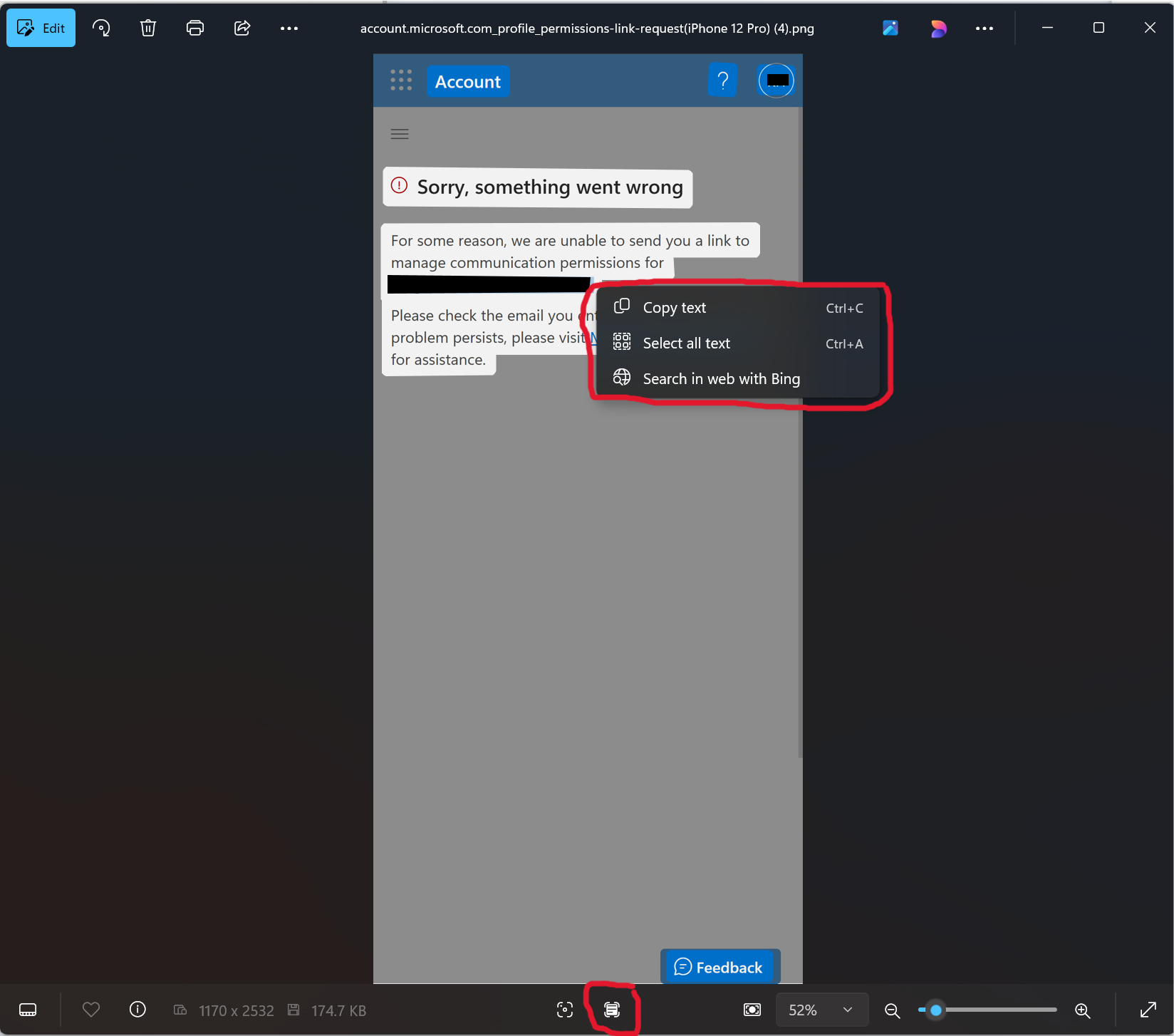
Snipping Tool