Fix: Microsoft Windows 11 Pro required for Hyper-V enhanced session mode
I'm not sure why Microsoft cannot simply state the requirement for using local resources on Hyper-V with VMConnect is the Pro edition (or higher) of Windows 11/10 running on both the VM Host and the VM.
If you've been puzzling why you cannot get your USB drive or printer to work inside your VM, or even change the VM's display resolution simply by resizing the VM window, it's because you are probably running Windows Home edition on at least the VM host, in the VM, or both.
Details
This is why Microsoft makes it hard to comprehend. On the using local resources on Hyper-V with VMConnect page you will see:
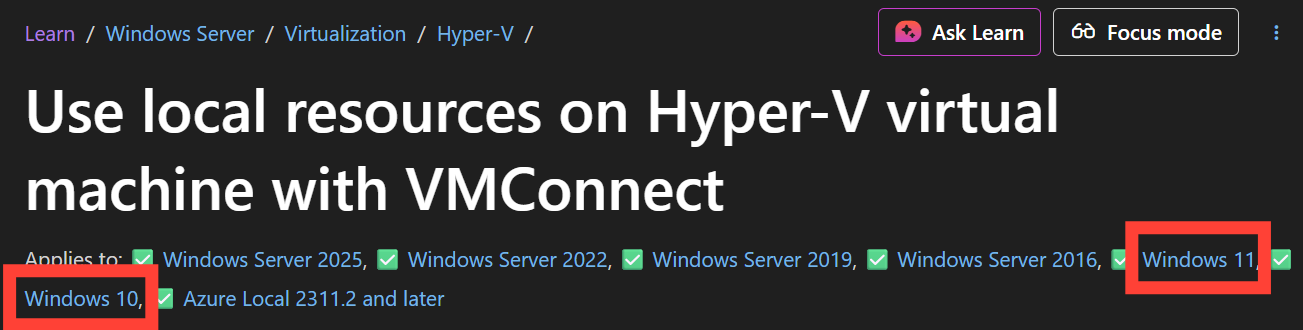
If you're like most people, you may think you can use local resources already because your VM Host (Hyper-V host) is on Windows 11 or 10.
Unfortunately that is not the case. Perhaps you're running Windows 11 Pro on the host but your VM want to run Windows 7 Home in the VM for your legacy application, sorry, that will not work. Windows 7 does not support VMConnect. The fine print (below) tells you both the VM Host and VM must meet the requirements.
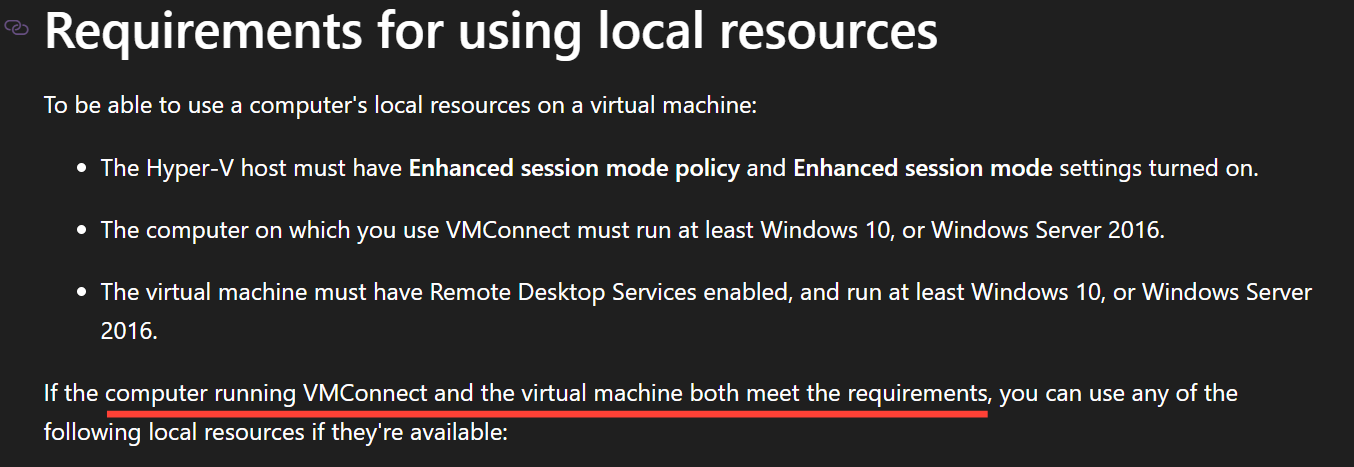
So now you think running Windows 11 Home on the VM Host with a Windows 10 VM is OK right? Well yes, you can setup your computer lab with a few VMs running on Windows 11 Home, but you cannot use VMConnect (no USB drives or printers inside the VM, etc.).
The reason VMConnect does not work is because of the dependency on Remote Desktop Services (RDS).
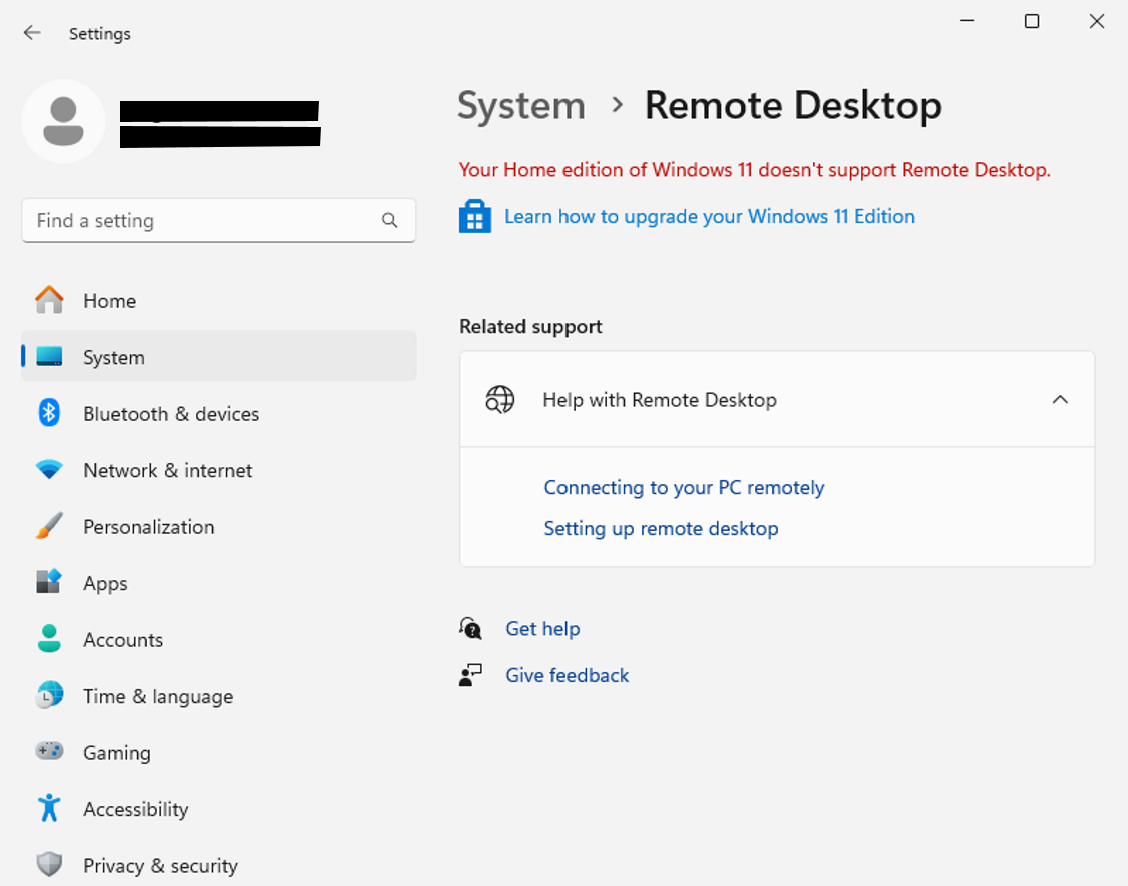
RDS requires the Pro edition of Windows, which means both your VM host and VM must run Windows 11/10 Pro. Unless you're familiar with the differences between the Home and Pro editions, the only (obscure) hint you'll get is the screen below. Hyper-V will never tell you what is required nor suggest any useful upgrade.
Hopefully you got to this article and have not stumbled upon other documentation out there on the internet suggesting editing config files or checking the boxes in Hyper-V for enhanced session mode will solve the issue. I wasted a few hours searching and following through that bad guidance and ripping out my hair wondering why it didn't work. Some of those posts were even marked as "the solution" in Microsoft forums.